Archademia Alternatives: What to Compare Before You Switch.
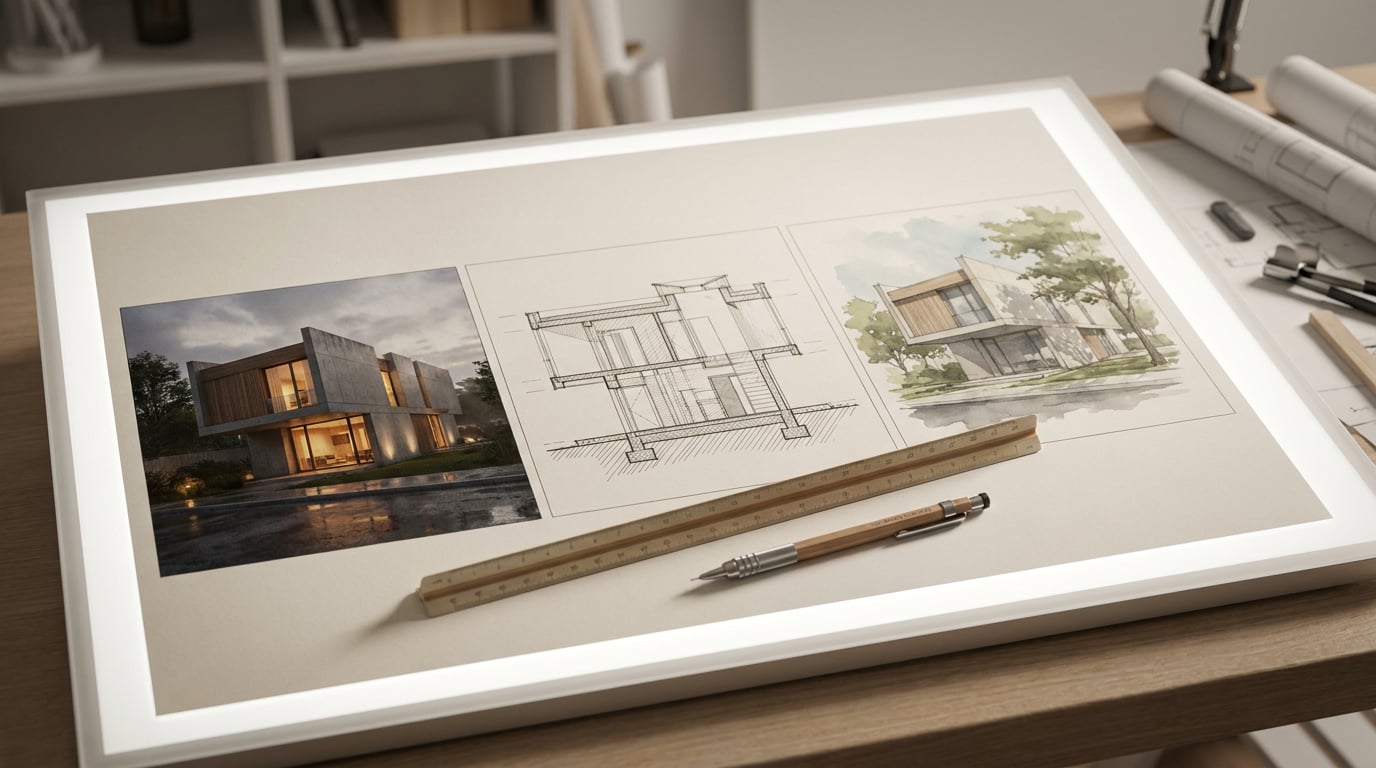
Looking for Archademia alternatives? Compare what your practice does each week against what each tool does, then judge the switch by the work.
Start With the Work, Not the Feature List
 Most comparisons of software alternatives fail at the first step. They open with logos and pricing tables, and the reader ends up scoring tools against a feature list that was written by a marketing team rather than by their own workload.
Start somewhere else. Write down what leaves your office or your studio desk each month. For a three-person practice that might be one set of planning drawings, a Design and Access Statement, a client deck, a competition board and a portfolio update. For a Part II student it might be a crit sheet, a unit report and a portfolio refresh.
Now sort each output by who sees it and what has to be true when they do:
| Output | Who sees it | What must be true |
|---|---|---|
| Planning drawings | Case officer, consultants | Plots at a stated scale on a known paper size. Traceable back to the model. |
| Design and Access Statement | Planning authority, neighbours | Consistent pages at true dimensions. Images that match the drawn scheme. |
| Client deck | Client, their advisers | Reads as one coherent scheme from the first slide to the last. |
| Crit or competition board | Panel, jury | Survives being pinned up and read from three metres away. |
| Portfolio or practice site | Prospective clients, employers | Current, fast to update, easy to share by link. |
Count the applications each deliverable touches today. An alternative earns its place only by lowering that number for the outputs you actually ship.
The Six-Point Test for Any Alternative
 Once you know your outputs, test every candidate, ArchAdemia Tools included, against the same six questions. They follow the production chain rather than the feature brochure.
### 1. Draw and model
Can you produce a plan and a 3D model of the same building without exporting one to generate the other? More importantly, do the two stay linked, or do they drift apart the moment someone edits a wall? Drift is where drawings and visuals start to disagree, and a planning officer will notice before you do.
Linea on ArchAdemia Tools is built so the plan and the model are one building, edited together. It imports DWG, DXF and IFC, including native IFC from Revit or Archicad, and exports DWG, DXF and IFC4. Walls, floors, roofs, columns, rooms and schedules sit in the same drawing, so you can check continuity directly.
### 2. Render and retouch
Can you take a view from the model to a finished image, then correct it locally without regenerating the whole thing? A soft region, a wrong material, the wrong time of day: these are everyday problems, and a tool that forces a full re-run for each one burns hours.
Retouch handles local correction with layers, masks and Enhance area. Material swap replaces a selected area's texture to match a reference, and the six re-light presets (Golden hour, Dusk, Blue hour, Night, Overcast, Sunny) regenerate the document at a different time of day as a new layer, so the original stays intact. Ask any alternative whether edits land on a layer you can toggle, or whether they overwrite your work.
### 3. Present
Can the same tool produce an A1 crit sheet and a multi-page A3 statement at true dimensions, with a vector PDF out? Layout does both from one document model: a Sheet mode for the crit board or competition panel, a Document mode for the statement or portfolio. It runs the full ISO A series and exports a vector multi-page PDF at true sheet size, with optional bleed and crop marks.
### 4. Publish
Can you put a portfolio or practice site live from the same account? Web builds portfolio-style sites for a firm or an individual, with Portfolio, Gallery, About, Team and Contact page types. Building is free. Going live needs separate hosting, so factor that into the running cost rather than discovering it later.
### 5. Write and research
Can you draft statement text and pull references without leaving the project? Documents offers a multi-model picker for long-form drafting, and Research is a separate surface for sourcing. Whichever tool you pick, remember that generated text and imagery still need human verification, particularly for planning, client and compliance work.
### 6. Score and record the failures
Score each candidate out of six, then write down where it fails. A gap on a point you use weekly matters far more than a missing feature you will never touch. A tool that scores five out of six but fails on the one step you perform every Friday afternoon is a worse buy than one scoring four with the gap in a corner of the workflow you never visit.
Weight the score by frequency. A failure on a weekly task outweighs three missing features you will never open.
Specialist Tools Versus a Suite: What You Trade
 A dedicated BIM package, a dedicated renderer and a dedicated layout tool will each go deeper in their own lane. That is a genuine advantage and nothing in this article should talk you out of it where it applies. Be honest about whether your projects need that depth or whether you are paying for it out of habit.
### The suite trade-off
The trade is straightforward. A suite gives you fewer tabs, one credit balance and one plan, at the cost of less depth in any single corner. Small practices and students usually feel the tab-switching cost more than the missing edge-case feature. A ten-person practice with a BIM manager and a rendering specialist is a different case, and may rationally prefer separate tools.
Published comparisons of host-software visualisation options give a useful contrast. Tools such as Veras work inside SketchUp, Revit, Rhino, Archicad and Vectorworks, and Archicad AI Visualizer is described as free with Archicad for design reviews from a live BIM model. Those suit a practice already committed to one host package. The available sources do not show that either replaces scaled drawing production, IFC or DWG exchange, A1 and A3 publishing or planning documentation, so check that yourself if you are considering them as a full replacement rather than an add-on. Verify the exact edition, regional availability and what "free" means in practice before relying on it.
### Look at the hand-off points
That is where time disappears. Trace the route a single image takes: model to render, render to sheet, sheet to a shareable link. Count the exports, re-imports and reformatting steps in each alternative. If a candidate saves you ten minutes in rendering but adds a fifteen-minute re-import into your layout tool every time, it has lost.
### Check portability both ways
Whatever you choose, you should be able to leave with your DWG, DXF or IFC intact. Linea imports and exports DWG, DXF and IFC4, and exports a drawing sheet as a PDF at true plotted scale on a chosen paper size, with a title block. Vector goes further on the 2D side: drop in a vector PDF from AutoCAD, Revit or SketchUp LayOut, or a DWG or DXF, and it lands as editable linework at true real-world scale, with a pre-import report that lets you tick the layers you want to keep.
### Match the tool to the discipline
Weigh the same criteria differently depending on who you are:
- Planning-led practices: prioritise scale, traceability and export. Can you plot to a stated scale and exchange files with consultants?
- Interior designers: test material and furniture control. Linea carries a furniture library and a material library, though new geometry starts in a flat painted colour and takes a photographic finish only when you paint it on.
- Exhibition and installation designers: test how fast you can produce spatial variants and walk them. Linea's terrain tools and first-person walkthrough matter here.
- Students: test affordability, learning curve and portfolio output first.
Match the tool to the discipline, not the other way round. A feature that is essential for planning submissions may be irrelevant to an exhibition fit-out.
Run a One-Scheme Trial Before You Commit
Reviews and comparison tables can only narrow the field. The decision needs a trial on your own work, and the trial needs rules. ### Use a real scheme Pick one finished scheme and rebuild one deliverable from it in each candidate. Do not test on a toy project. Toy projects hide exactly the problems real ones expose: awkward geometry, a messy CAD file, a client change that arrives on day two. ### Fix the brief Set the same brief for every candidate: one plan import, one rendered view, one sheet, one export. Time each stage. Note every point where you had to leave the tool, whether to convert a file, fix a layer or open another application. Those exits are your hand-off count from section one, measured for real. ### Use the ArchAdemia Tools trial as a like-for-like test The 7-day free trial gives you 30 credits a day with no card, every model selectable and no per-model locks. Images you make are yours to keep, carrying a small watermark until you subscribe. Daily credits do not roll over, so plan the test around what fits in a day rather than saving effort for later. That constraint is useful: it forces you to pick the one view and one sheet that matter. The trial is time-limited, and there is no free plan after it. ### Import a real office file Import a practice DWG as part of the trial. Linea's import dialog draws the file before it lands and finds the separate drawings inside it. Practice CAD files routinely hold twenty-odd drawings in one model space, all on the same layers. Click an outlined region, or drag a box by hand, and the import crops to that single plan, cut clean at the edge and landing on the origin. That tells you quickly whether the tool copes with how real offices save files, which a clean demo file never will. ### Record what each trial cost Write down what each trial cost in credits or hours, and what it produced. A tool that gives you a finished sheet in an afternoon beats one with a longer feature list.Decide on Cost, Lock-In and Where the Tool Is Heading
### Compare the full running cost Compare the full running cost, not the headline. ArchAdemia Tools is £19 a month billed yearly (£228 a year) or £29 monthly, with 1,500 credits and 3 concurrent generations. Set that against the combined subscriptions of the stack you would replace, and add anything the suite does not cover. Web publishing needs separate hosting, for example. Be equally careful with third-party prices. Vendor comparison pages quote figures such as a monthly rate for a given visualisation tool, but those pages are often vendor-adjacent and change often. Where a tool's pricing is an API rate card rather than a consumer subscription, do not convert it directly into a monthly practice cost without knowing the billing context. ### Separate included from credit-spending Ask every alternative the same question: what is included, and what spends credits? In Linea, drawing, modelling, walking the model, exporting and asking Corb a question are free and included. Generating a single 3D asset from a description or photograph, and rendering a view of the model, use plan credits, with the cost shown before anything runs. Corb can also propose building or editing the model on request, and states the real price on a card for you to confirm before a line is drawn. Hold every candidate to that standard: no surprise spend. ### Ask how fast it improves Ask how quickly the product improves on the plan you are paying for. A tool that ships steadily on the same subscription is a different proposition from one that holds new capability back for a higher tier. Check release notes and see whether new features arrive on your plan or behind an upgrade. ### Keep your own judgement Corb can advise on a scheme, read your project brief and RIBA stage, and write prompts. Compliance, planning and structural calls stay with you and your consultants. Be wary of any alternative that implies otherwise. If a tool says a scheme complies, treat that as a reason to look harder, not a reason to relax.Any tool that rules on compliance for you has taken a decision that belongs to whoever carries the professional liability.
Switch only if the winning tool removes steps from the outputs you listed at the start. If it does not, keep your current stack and revisit in six months.
Keep reading.
Try ArchAdemia Tools for yourself
Draw it, model it, render it, publish it. One place, built for architects and small practices. From £19 a month, all in.