How to Render Landscaping and Planting Without It Looking Fake.
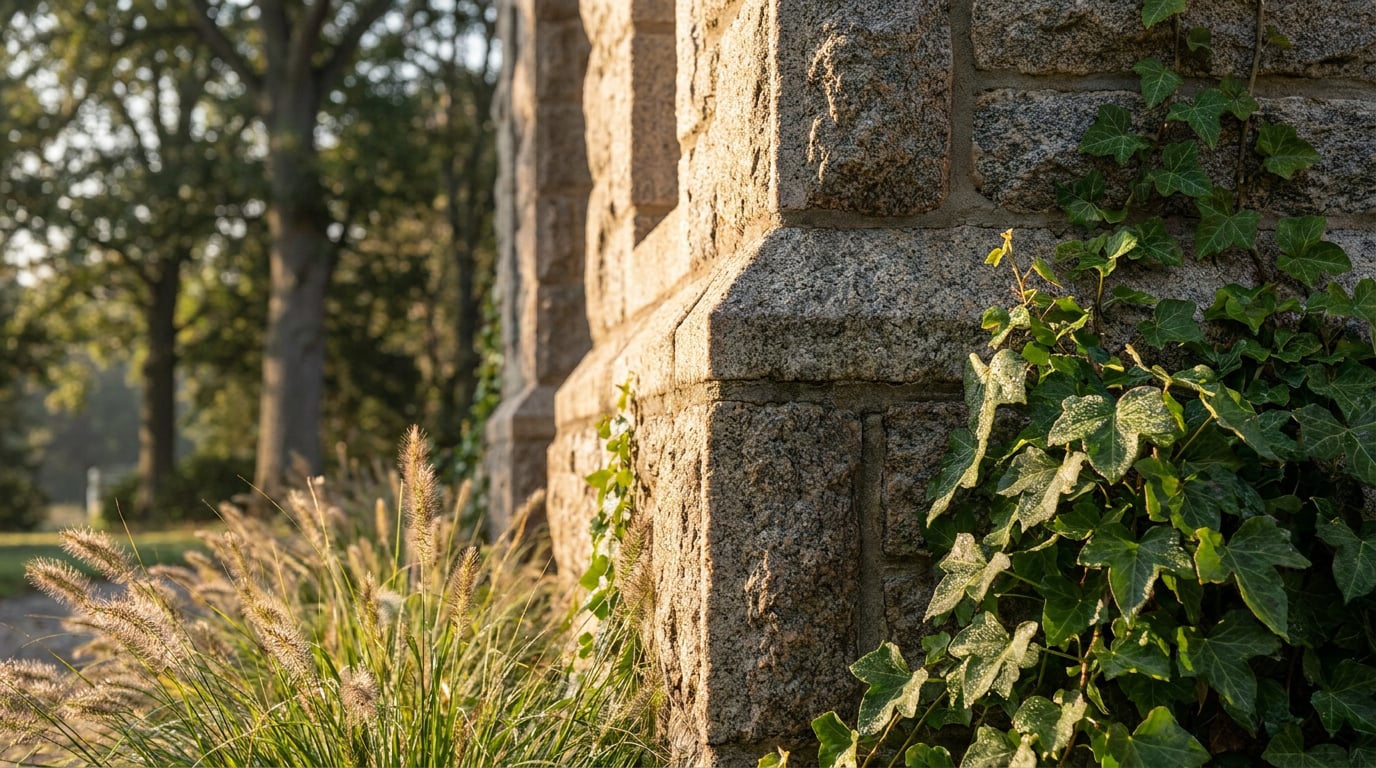
Fake-looking planting kills otherwise strong renders. Here's the craft behind trees, hedges and groundcover that read as real.
Why rendered planting reads as fake in the first place
Planting is usually the last thing added to a render and the first thing a crit panel or planning officer's eye catches as wrong. Not because the building is unconvincing, but because the landscape around it obeys none of the rules that real gardens and streetscapes follow. The tell is rarely one glaring error. It's a set of small, cumulative decisions that add up to "this was placed by a tool, not grown by a site."
The biggest offender is uniformity. Real hedgerows are messy: mixed-age shrubs, gaps where something died back, one section pruned tighter than its neighbour. A rendered hedge that's one continuous, identical green mass reads as CG even at a glance, because nothing in nature is that consistent. The same goes for trees dropped into a scheme at a single height with matching canopy shapes, like they were copied and pasted three times, which, in most rendering workflows, is exactly what happened.
Groundcover suffers the same flattening. Grass and low planting often get treated as a texture rather than a surface with depth: no shadow variation, no patchiness, no sense that anything is growing unevenly across a site. Add planting that couldn't survive where it's been placed, ornamental species on a north-facing wall, Mediterranean planting in a location the landscape strategy never intended, and the render starts contradicting its own Design and Access Statement. Even correctly symmetrical formal hedging can look wrong: perfectly matched topiary, rendered perfectly, sits in an uncanny valley of being too exact for something alive.
If every plant in a scene is the same species, the same size, and the same shade of green, the render will read as artificial regardless of how detailed any single asset is.
Scale and placement: get this wrong and nothing else matters

No amount of texture work rescues planting that's scaled wrong. A tree needs to relate believably to the building beside it: a semi-mature specimen next to a two-storey house should land roughly at eaves height, not dwarf the roofline or vanish into insignificance against the facade. Get this relationship wrong and the eye clocks it before it even registers the render's lighting or materials.
Variation matters as much as scale. Three trees of identical height and canopy shape in a single group is one of the fastest ways to break the illusion, because nothing in a real planting scheme grows in matched sets. Stagger the heights, vary the canopy silhouettes, and let some specimens look younger or more compact than others.
Depth is built by pushing some planting deliberately into the foreground and letting it fall slightly out of focus. This is a technique borrowed straight from photography, and it does more for a street view in a Design and Access Statement than almost any other single move: a soft shrub edge at the bottom of frame instantly tells the eye there's a foreground, a midground and a background, rather than one flat plane of information.
Respect real planting distances too. Hedges hug boundary lines, they don't drift decoratively across a garden. Trees sit back from foundations at a distance a landscape architect would actually specify, not scattered wherever the composition needs filling. And layer the depth correctly moving back from camera: groundcover, then shrub, then understorey tree, then canopy tree. That order is how real planted landscapes are structured, and skipping straight from lawn to mature oak with nothing between reads as a render shortcut.
Scale and placement errors are the ones a crit panel or planning officer will catch fastest, because they compare planting height to the building next to it almost instinctively. Fix this before touching texture or colour.
Light and shadow do more work than the asset itself
A highly detailed tree model lit flat will always look worse than a rough one lit correctly. Light direction is what sells planting, more than polygon count or leaf texture ever will. One dominant, consistent light source across the whole scene, matching the sun angle implied by the building's shadows, does more to convince a viewer than swapping in a better tree asset.
Shadow is where planting either earns its place in the scene or gives itself away. Dappled shadow falling from a canopy onto paving or grass is one of the strongest realism cues available: broken, irregular patches of light and dark moving across a ground plane in a pattern that matches the tree above it. A tree that casts no ground shadow at all reads instantly as pasted in, no matter how good the model itself is.
Backlighting through foliage, the translucency effect where light passes through leaves rather than just bouncing off them, is what separates a hero tree from a cardboard cutout. It's subtle, but it's the difference between a canopy that looks solid and lifeless and one that looks like it's actually catching the sun.
Lighting condition matters too. Overcast light is far more forgiving on planting-heavy scenes than harsh midday sun, because flat, diffuse light hides texture inconsistencies that direct sun exposes mercilessly. If a scheme's foliage textures aren't holding up under scrutiny, changing the lighting condition can solve more of the problem than re-texturing the planting itself.
This is exactly the kind of test that's worth running before committing to a final render rather than after. Retouch's one-click re-light presets, Golden hour, Dusk, Blue hour, Night, Overcast and Sunny, regenerate the whole document under a different lighting condition as a new layer, without touching the base render. For a planting-heavy elevation, running it through Overcast and Golden hour side by side before deciding which flatters the foliage is a five-minute check that saves reworking the whole scene later.
Texture, colour variation and the small imperfections that sell it

Real hedges are never one flat green. They shift tonally with shade, new growth, seasonal dieback and age, and a rendered hedge that skips this variation looks synthetic even at a distance. The fix isn't more detail, it's more variation within the detail already there.
Distance from camera should dictate how much texture work is worth doing. Groundcover close to the lens needs visible blade direction and patchiness, because that's the area a viewer's eye will linger on. Groundcover further back can simplify considerably; nobody scrutinises the far edge of a lawn in a hero shot.
Colour saturation is a common trap. Pure, saturated green sits outside the colour world of almost every building material, brick, render, timber cladding, stone, all of which are naturally desaturated. Warming and slightly desaturating planting colour brings it into the same tonal family as the architecture, so the two don't compete or look like they were generated by different processes (which, often, they were).
Small imperfections do more for credibility than perfect health. A slightly overgrown hedge edge, a stray branch crossing the corner of a window, a patch of bare soil where planting hasn't established, these are the details a landscape architect's eye expects to see and a machine-generated scheme usually omits entirely.
Testing this without committing to a full re-render is where Retouch's material swap earns its place in the workflow. Selecting a specific planting area and swapping in a different foliage reference against the same massing lets you compare species options, or tonal treatments, without regenerating the scene from scratch. It's a fast way to answer "would this look better as native mixed hedging or clipped box" without burning a full render cycle on each option.
Desaturated, warmed planting sits in the same colour world as brick, render and stone. Saturated green never does, and it's one of the fastest tells in an otherwise convincing scene.
Compositing planting into an existing render without starting over
Most planting problems surface after the render is otherwise finished, when a client asks for denser screening along a boundary, or a planning officer requests a different species mix for ecological reasons. Re-running the whole image for a planting change is wasteful when the fix is localised.
Retouch's mask-and-prompt generative fill handles this directly: select the area that needs planting added or thickened, describe what should go there, and the result lands on a real new layer, with the base render untouched underneath. Nothing about the building, the sky or the materials needs to be regenerated to change what's growing along one boundary line.
Selection itself doesn't need hand-tracing. Selecting by typed description, "the front hedge line", "the shrub bed along the drive", isolates the relevant area fast, which matters when the request is a five-minute turnaround rather than a full afternoon.
Where a planting band has gone soft or repetitive, particularly common in wide street elevations where the same hedge texture has tiled visibly, Enhance Area re-renders that region at higher resolution and composites it back through the selection, without regenerating the whole image around it.
Keeping planting edits on their own layer with a layer mask is what turns a planning officer's requested change into a genuinely quick edit rather than a re-render. Denser screening, a different species, a taller hedge, all of these become a mask adjustment and a new prompt on an existing layer, not a rebuild of the scene. Adjustment layers extend this further: grading the planting warmer, more saturated or higher contrast independently of the building material means the landscape and the architecture can be tuned separately, right up until the final export.
A planting request from a planning officer or client shouldn't mean re-rendering the whole scheme. Masked, layered edits mean it's a targeted change, not a full rebuild.
A quick checklist before you call a landscape render finished
Before signing off a planting-heavy render for a client presentation, competition board or planning submission, run it through these checks:
- Does canopy height relate correctly to the storeys of the building beside it, rather than dwarfing or vanishing against it?
- Is there genuine tonal and species variation across the planting, or does everything read as the same green?
- Does the ground plane show shadow cast by the planting itself, not only by the building?
- Would this planting actually survive the site's aspect and soil conditions, and does it match what the landscape strategy proposes?
- Zoom into the foreground: does close-up foliage hold up under scrutiny, or does it fall apart the way a crit panel or planning committee will inevitably test it?
Every one of these is a cheap check relative to the cost of getting it wrong in front of a committee. A planning officer who spots planting that couldn't survive the site's orientation will question the rest of the landscape strategy along with it. A crit panel that notices three identical trees will assume the rest of the scheme received the same level of attention.
| Symptom | Likely fix |
|---|---|
| Hedge reads as flat green mass | Add tonal variation; desaturate and warm to match building materials |
| Tree looks pasted onto the scene | Check for a matching ground shadow and backlighting through the canopy |
| Repeated identical trees in a group | Vary canopy height and shape across the group |
| Planting-heavy elevation looks synthetic under midday sun | Test an overcast or golden hour re-light before committing |
| Client requests denser screening after render is signed off | Edit the planting layer with a mask rather than re-rendering the scene |
Landscaping doesn't need to be the most technically complex part of a render to be the part that undoes it. Scale it against the building first, light it with intent, vary the colour and texture, and keep the planting on its own editable layer so changes are quick rather than punishing. Get those four things right and the planting stops competing with the architecture for credibility, and starts supporting it.
Keep reading.

Try ArchAdemia Tools for yourself
Draw it, model it, render it, publish it. One place, built for architects and small practices. Plans from £29 a month, all in.