Urban Context in Renders: Neighbours, Street Clutter, Scale.
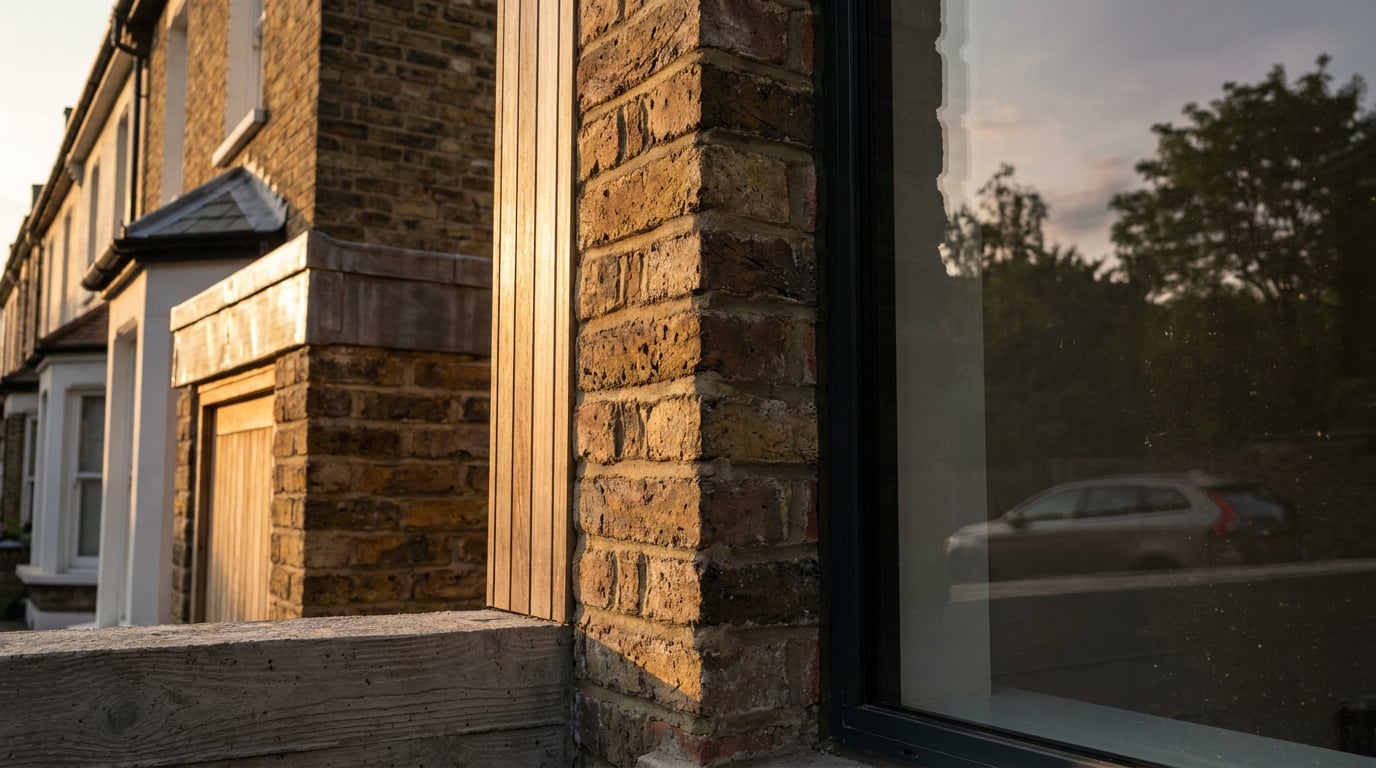
A scheme floating in empty space never convinces a planner or a client. How to model neighbouring buildings and street clutter so the context sits at the right scale.
Why a Render Without Context Fails the Planning Test
 A building on an empty ground plane has no scale, no relationship and no argument. It could be four metres tall or forty. Context is what lets a case officer, a neighbour or a client judge height, rhythm and fit, and it does that work faster than any paragraph of description.
Planning visuals and Design and Access Statements lean on context for exactly this reason. This is established professional practice rather than a rule from any single policy document, so check your local authority's validation requirements for specifics. The principle holds everywhere: a visual that shows the proposal against the real eaves line and ridge heights of its neighbours persuades more than any adjective in the text. A statement that says "the scheme respects the prevailing height" is an assertion. An elevation or view showing your parapet sitting 300mm below the neighbour's eaves is evidence.
The amount of context depends on the job the image is doing. There are three distinct jobs, and confusing them is where most visualisation goes wrong.
A building on an empty ground plane has no scale, no relationship and no argument. It could be four metres tall or forty. Context is what lets a case officer, a neighbour or a client judge height, rhythm and fit, and it does that work faster than any paragraph of description.
Planning visuals and Design and Access Statements lean on context for exactly this reason. This is established professional practice rather than a rule from any single policy document, so check your local authority's validation requirements for specifics. The principle holds everywhere: a visual that shows the proposal against the real eaves line and ridge heights of its neighbours persuades more than any adjective in the text. A statement that says "the scheme respects the prevailing height" is an assertion. An elevation or view showing your parapet sitting 300mm below the neighbour's eaves is evidence.
The amount of context depends on the job the image is doing. There are three distinct jobs, and confusing them is where most visualisation goes wrong.
| Job | Context needed | Accuracy standard |
|---|---|---|
| Measured planning image | Immediate neighbours modelled from survey, correct street alignment, real eaves and ridge heights | Survey-level. Every dimension traceable to a source |
| Concept board or crit image | Deliberately simplified volumes, a few recognisable landmarks, enough to show scale and approach | Honest but loose. Labelled as indicative |
| Competition or atmospheric image | Mood-led street, selective detail, strong light and weather | Persuasive, not evidential. Should not claim to be a verified view |
Decide which of the three jobs the image is doing before you model a single neighbour. It sets how much street you build and how much accuracy you owe the viewer.
Modelling the Neighbours: How Much Detail Is Enough
 The most useful discipline is to work in tiers by distance, the way a physical site model does. You would never carve every brick of a terrace five doors down, and neither should you model it.
The three tiers
- Tier one: the two or three buildings either side of the site. Real massing, correct eaves and ridge heights, window rhythm and a reasonable roof form. These are the buildings the viewer compares your scheme against, so they carry the argument.
- Tier two: the rest of the visible street. Simplified volumes at measured heights, with only the features that affect recognition: a distinctive gable, a corner turret, a change in roof pitch.
- Tier three: distant buildings and skyline. Plain volumes, or haze and silhouette. They exist to close the view, not to be read.
Source your heights honestly
Every dimension should come from somewhere you could point to. Good sources, roughly in order of reliability:- A topographical or measured site survey.
- OS data for footprints and levels where the survey does not reach.
- A measured elevation of the street, if one exists or you commission one.
- Photographs containing a known reference dimension, such as a standard door, a brick course count or a surveyed datum.
Where Linea fits
In Linea, the scheme can be placed on a real location with the ground and surrounding buildings, which gives you a starting massing for the street rather than a blank plane. Treat that as a starting point and verify it. Check the footprints and heights of the near neighbours against your survey before the image goes anywhere near a planning pack. From there you add the openings and roof forms that matter for tier-one buildings: the window rhythm, the chimney stacks, the eaves detail. Linea also imports DXF and DWG, so if the survey arrived as CAD you can bring the measured street in directly and build against it, and a perspective view can go straight from the model into the rendering studio.Keep the neighbours quieter than the proposal
Once the neighbours are accurate, make them visually recessive. Lower contrast, no hero lighting, slightly muted colour. They support the scheme; they do not compete with it. A beautifully lit neighbour next to a flat proposal makes the proposal look like the afterthought.Accurate and quiet is the target for neighbours: right in massing, rhythm and height, but never the loudest thing in the picture.
Street Clutter: The Small Things That Sell Realism
 Street furniture is what separates a render from a photograph of a model. Lamp columns, bollards, kerbs, pavement edges, drain covers, signage poles, bins, cycle stands, utility cabinets and the occasional parked vehicle give a street its age and its use. A scene without them looks unlived-in even when the architecture is superb.
Treat clutter as positional evidence
The key shift is to stop thinking of street furniture as decorative scatter and start treating it as positional evidence. Kerb position, lamp spacing, bollard locations, bins, signage and parked vehicles are all facts about the existing site. Check them against your survey photographs. A lamp column that is in the wrong place on a planning image is a factual error, and a bollard drawn where there is a crossover is the kind of thing a neighbour notices. Real streets place things for reasons:- Lamp columns sit on a fairly regular spacing along the kerb line.
- Bollards protect crossovers, corners and pedestrian edges.
- Road markings follow the carriageway, not the composition.
- Bins cluster near entrances and collection points.
- Utility cabinets sit against boundary walls and in recesses, rarely mid-pavement.
Linea's libraries and the Generate tab
Linea's furniture library and material library cover much of the everyday set, and terrain sculpting handles falls in the street surface. For the odd item the library does not carry, such as a specific bin store or a particular lamp fitting, the Generate tab of the Library can build a single 3D model from a description or a photograph and place it in the drawing. That is a paid action using plan credits, with the cost shown before it runs. Check any generated object against your photograph before relying on it: a generated fitting is a plausible stand-in, and for a planning image the real fitting should be what the viewer sees. New geometry in Linea arrives as a flat painted colour, so paint the surfaces you want to read as brick, tarmac or paving from the material library rather than assuming a finish is already there.Entourage scale is where street scenes go wrong
A single person at the wrong height, a car a size too large or a tree at twice the right scale breaks the whole picture. Check every figure against something fixed: a door (roughly 2.1m), a kerb (roughly 100 to 150mm), a standard brick course. If a figure's head is higher than the door head beside them, fix it.Use clutter to hide and to lead
Clutter is also a compositional tool. A parked car overlapping a foreground edge hides an awkward junction and adds depth. A lamp column can frame a corner. A kerb line can point at the entrance. These are the same tricks a photographer uses, and they work for the same reasons. Just be sure the object is where the survey says it is, or flag it as indicative on a concept image.On a planning image, every lamp, bollard and parked car is a claim about the existing street. Place it from the survey photographs or leave it out.
Light, Weather and Depth on the Street
Context must share the proposal's light. If the neighbours are lit from one direction and the scheme from another, or one is in afternoon sun and the other in morning shade, the image fragments into a collage. Choose one dominant light source and let everything answer to it.Let the street fall into haze
Distant buildings lose contrast and shift toward the sky colour. This is atmospheric perspective, and it is the cheapest way to stop a long street reading as a flat stage set. Tier-three buildings in particular should soften into haze rather than hold their edges. It also hides the simplifications you made in the modelling.Weather as a forgiving ally
Wet roads and overcast skies are kind to context. Reflections on wet tarmac add street life and break up large dull surfaces. Soft overcast light hides modelling shortcuts that hard sun would expose: the simple neighbour with no cornice shadow, the repeating window. If your context is a little thin, a damp grey morning will carry it where a clear noon will not. That said, if the planning job needs to show shadow impact, you will need to model the light honestly, and for that the sun position and date should be stated.Check your shadows
Shadow length is one of the first things a viewer reads without knowing it. A neighbour that casts no shadow onto your scheme, or the reverse, tells the viewer something is wrong before they can say what. Check that shadows fall in one direction, at lengths consistent with the heights of the buildings that cast them.Testing the light in Retouch
Retouch has six one-click re-light presets: Golden hour, Dusk, Blue hour, Night, Overcast and Sunny. Each regenerates the whole document at a different time of day or weather as a new layer, which makes it a fast way to test which light flatters the street. It is useful for atmospheric and concept images where the aim is mood. Because the result is regenerated rather than recalculated from your model, treat it as a mood test, and do not use a re-lit image as evidence of sun or shadow conditions on a planning submission. Keep the original render untouched underneath.One light, one direction, one time of day across the whole street. Then let the distance fall into haze.
Fixing Soft or Repetitive Context in Retouch
Wide street renders often go soft toward the edges, or show the tell-tale signs of repetition: identical windows marching along a terrace, tiling brickwork, cloned trees. These are the areas viewers read as fake, and they are usually the background you spent least time on.A practical fix list
- Enhance area. Select the soft region, such as a blurred neighbouring façade, and Enhance re-renders it at higher resolution with no prompt, compositing it back through your selection. It is a practical fix for a wide render that has gone soft or repetitive.
- Select by description. Rather than lassoing each patch, type what you want, such as "all the brickwork", and Retouch selects every matching region at once.
- Material swap. With that selection active, Material swap replaces the texture to match an attached reference, as a toggleable layer you can switch off. Attach a photograph of the actual neighbouring brick, and the replacement is tied to something real.
- Keep every fix on its own layer. Layer masks let you dial back anything that starts to compete with the proposal. Context should recede, never shout.
- Grade once, at the end. Finish with an adjustment layer across the whole image so that neighbours and scheme read as one photograph.
The consistency problem
The main risk with any local correction, whether done by hand or generated, is that the repaired region acquires a different sharpness, grain or colour temperature from the proposal. A freshly enhanced neighbour that is crisper than the building you are selling pulls the eye in the wrong direction. This is why the final global grade matters: it ties everything back into one photographic character. Preserve the original render, make masked local corrections, then grade globally.A note on verification
Retouch edits are cosmetic. Enhance, Material swap and any regenerated region can introduce windows, textures and details that were never on the neighbouring building. On a measured planning image, do not let generated detail stand in for what exists: compare the repaired façade against your survey photographs, and if a window count or a bay rhythm has changed, restore it. On a concept or competition image the standard is looser, but the caption should still be honest about it.Generated neighbours, windows, vehicles and street furniture are not evidence of existing conditions. Only the survey and the photographs are.
Where animation fits
If the same context is going into an animated sequence, such as a fly-down or a camera study, the same rules apply. Generative video can help with presentation mood tests and quick camera studies, but it does not substitute for measured context modelling, and the street it invents will not match your survey. Build and verify the context first, then animate it. In Shoot, a finished set of stills from your scheme's angles is a complete outcome in its own right, and you can animate the kept stills afterwards if the job calls for it.Build the Street You Can Defend
Model the near neighbours accurately, simplify everything else, place clutter from survey evidence, and give the whole street one light. Realism follows from honesty about what each image is for.
Keep reading.
Try ArchAdemia Tools for yourself
Draw it, model it, render it, publish it. One place, built for architects and small practices. Plans from £19 a month billed yearly (£228 a year), all in.