Remote Crits: How Architecture Students Present Studio Work Online.
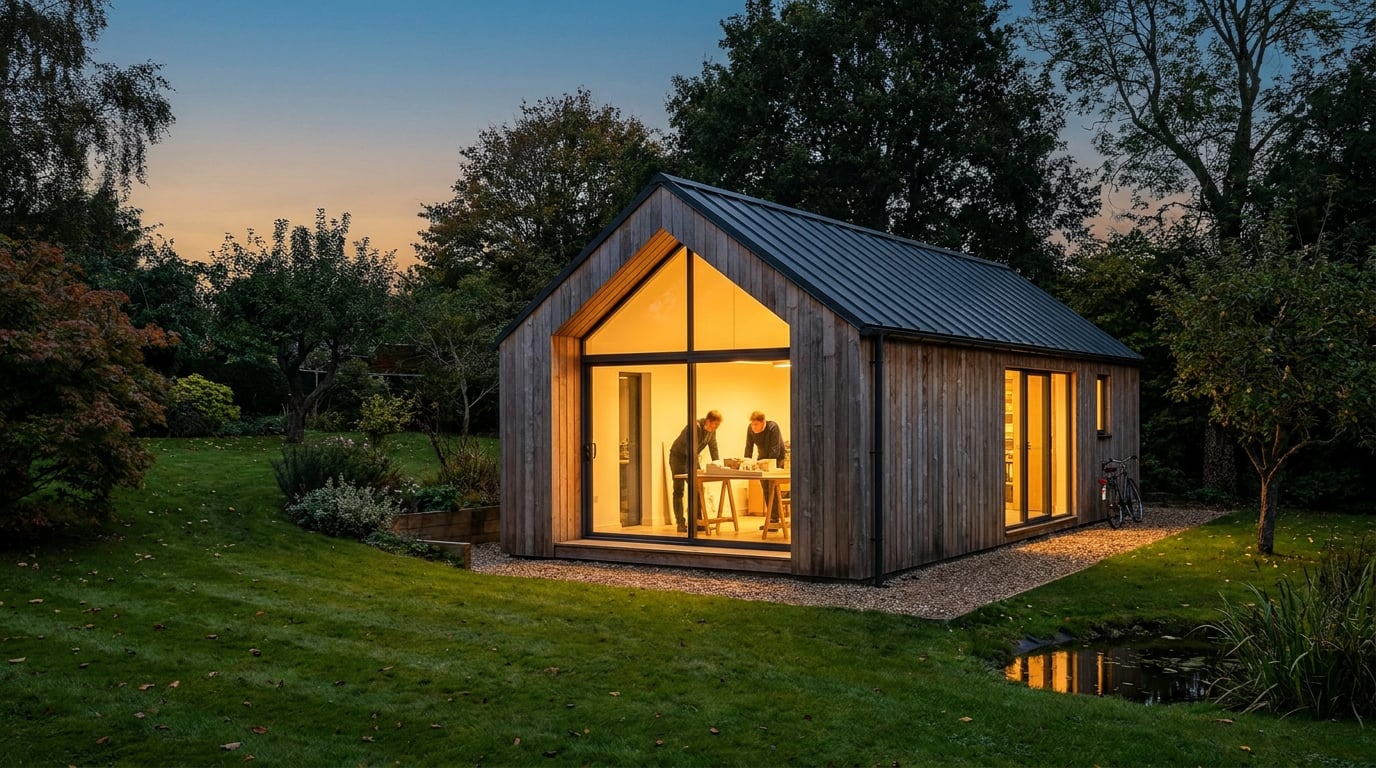
Your jury is on a call, not around your pin-up wall. Here is how to build boards, walkthroughs and a share link that hold up when you cannot talk them through it.
Why a Board That Works on the Wall Dies on Screen
 A pin-up board is read at arm's length with you standing next to it. A reviewer leans in, you point at the junction that matters, and the argument happens in the gap between the paper and your finger. Put the same sheet on a laptop, a shared screen or a phone and that gap closes. Scale disappears, hierarchy flattens, and you can no longer point.
Remote crits make this worse in a specific way. A jury reviewing twenty projects in a morning gives each one roughly a thumbnail's worth of attention before deciding whether to dig in. That is editorial observation from how reviews tend to run, not a measured statistic, but any student who has watched a panel scroll will recognise it. Your first screen has to carry the argument by itself.
### Three ways your work gets seen
Your project will reach the jury in one of three conditions, and each demands a different level of self-explanation.
A pin-up board is read at arm's length with you standing next to it. A reviewer leans in, you point at the junction that matters, and the argument happens in the gap between the paper and your finger. Put the same sheet on a laptop, a shared screen or a phone and that gap closes. Scale disappears, hierarchy flattens, and you can no longer point.
Remote crits make this worse in a specific way. A jury reviewing twenty projects in a morning gives each one roughly a thumbnail's worth of attention before deciding whether to dig in. That is editorial observation from how reviews tend to run, not a measured statistic, but any student who has watched a panel scroll will recognise it. Your first screen has to carry the argument by itself.
### Three ways your work gets seen
Your project will reach the jury in one of three conditions, and each demands a different level of self-explanation.
| Viewing condition | What the jury has | What you must supply |
|---|---|---|
| Live screen share | Your voice, one image at a time, and your cursor | A clear running order, with the single image you open on decided in advance |
| PDF sent ahead | Time, a pointer of their own, and no you | Captions and annotation that do the talking for you |
| Link opened on a phone | A small screen and about thirty seconds | One legible first view, with type that survives shrinking |
Remote review does not change what a jury needs from your work. It changes who has to supply the explanation: you, in advance, on the sheet.
Build the Sheet or the Document in Layout, Sized for the Crit
 Layout, in ArchAdemia Tools, is built for exactly this decision. It has two modes over one document model. A **Sheet** is one large surface, A1 landscape by default, for the crit board, the competition panel or the pin-up. A **Document** is many pages at A3, for a portfolio, a report or a Design and Access Statement. Pick the mode that matches how your school wants the work submitted, and the page size follows.
### Start from a template, not a blank grid
There are seven founding templates: Image-led Board, Competition Board, Presentation Board, Design and Access Statement, Portfolio, Project Book and Client Deck. They arrive with placeholder text and image frames only, so there is nothing to strip out. Replace the frames with your own work rather than building a grid from nothing. For a crit board, the Image-led Board or Presentation Board is the usual starting point; for a studio portfolio, start from Portfolio.
### Hold alignment with the grid and guides
Switch on the layout grid in whichever form suits the sheet: Manuscript for text-led pages, Columns for mixed content, Modular for image-heavy boards. Pull guides off the rulers and let elements snap to the grid, the guides, the page edges and each other. The grid is a reference overlay only. It never appears in an export or a shared page, so you can leave it on while you work without worrying about it ghosting into the final file.
### Set type for the screen, not the plotter
Layout carries a 300-family self-hosted type library, with Inter as the default. Keep to one or two families. The mistake specific to remote crits is sizing body text for a printed A1 wall, where it reads from a metre away, then watching it dissolve on a laptop. Size for the smallest screen the jury might plausibly use. If your studio has a house typeface, upload your own fonts.
### Cost
Manual layout work costs no credits and Layout is available on every plan, including Free. A student on the 7-day Free trial, which gives 30 credits a day with no card needed, can build the entire board without spending any. Credits only come into play if you ask Corb to write copy or build a document for you.
Layout, in ArchAdemia Tools, is built for exactly this decision. It has two modes over one document model. A **Sheet** is one large surface, A1 landscape by default, for the crit board, the competition panel or the pin-up. A **Document** is many pages at A3, for a portfolio, a report or a Design and Access Statement. Pick the mode that matches how your school wants the work submitted, and the page size follows.
### Start from a template, not a blank grid
There are seven founding templates: Image-led Board, Competition Board, Presentation Board, Design and Access Statement, Portfolio, Project Book and Client Deck. They arrive with placeholder text and image frames only, so there is nothing to strip out. Replace the frames with your own work rather than building a grid from nothing. For a crit board, the Image-led Board or Presentation Board is the usual starting point; for a studio portfolio, start from Portfolio.
### Hold alignment with the grid and guides
Switch on the layout grid in whichever form suits the sheet: Manuscript for text-led pages, Columns for mixed content, Modular for image-heavy boards. Pull guides off the rulers and let elements snap to the grid, the guides, the page edges and each other. The grid is a reference overlay only. It never appears in an export or a shared page, so you can leave it on while you work without worrying about it ghosting into the final file.
### Set type for the screen, not the plotter
Layout carries a 300-family self-hosted type library, with Inter as the default. Keep to one or two families. The mistake specific to remote crits is sizing body text for a printed A1 wall, where it reads from a metre away, then watching it dissolve on a laptop. Size for the smallest screen the jury might plausibly use. If your studio has a house typeface, upload your own fonts.
### Cost
Manual layout work costs no credits and Layout is available on every plan, including Free. A student on the 7-day Free trial, which gives 30 credits a day with no card needed, can build the entire board without spending any. Credits only come into play if you ask Corb to write copy or build a document for you.
Choose Sheet or Document first, start from a template, and size your type for the laptop. Those three decisions fix most remote-crit problems before they start.
Show the Scheme in Context: Stills, Sections and Light
 In a room, a juror can say "can I see the other elevation?" and you pull it out. Online, that question either goes unasked or burns your crit time. Pre-empt it with a complete set of views, so the other elevation, the entrance approach and the key interior are already on the sheet.
### Build the set of views in Shoot
Shoot is stills-first. It generates a full set of camera angles for a scheme, with exterior and interior handled separately, and a finished set of stills is a complete outcome on its own. You do not need to make a film. For a remote jury, a considered set of stills that covers approach, street frontage, key interior and a longer contextual view does most of the work a live walk-round would have done.
### Show the scheme at two times of day
Retouch's six one-click re-light presets are Golden hour, Dusk, Blue hour, Night, Overcast and Sunny. Each regenerates the whole document at a different time of day or weather as a new layer, so you can show the same view in morning light and at dusk without re-rendering from scratch. That is useful for a scheme where the argument is about how it behaves at different hours: a public building that lights up at night, a courtyard that depends on afternoon sun.
If a wide render has gone soft or repetitive across the middle distance, use **Enhance area**. Select the region and it re-renders at higher resolution with no prompt, then composites back through your selection.
### Keep drawings measurable
A render is atmosphere. It is not evidence of dimensions. If you model in Linea, cut sections and elevations from the model as real linework and issue them on a sheet like a plan. Then export a PDF at a true plotted scale on a chosen paper size, with a title block, so the drawings stay measurable when a juror zooms in on screen. Linea is a browser-based drawing and modelling tool, a credible alternative to SketchUp or AutoCAD for everyday work, but it is not a BIM tool, and a student should not present it as one.
The same discipline applies to any generated imagery. AI-generated stills and short animations can carry atmosphere, sequencing and context, but they should not stand in for plan, section, elevation or dimensioned evidence.
### Give drawings and imagery different jobs
Linework argues the plan and section. Imagery sells the atmosphere. A board that is all render reads as a pitch; a board that is all line reads as unfinished. Balance the two, and let each do the job the other cannot.
In a room, a juror can say "can I see the other elevation?" and you pull it out. Online, that question either goes unasked or burns your crit time. Pre-empt it with a complete set of views, so the other elevation, the entrance approach and the key interior are already on the sheet.
### Build the set of views in Shoot
Shoot is stills-first. It generates a full set of camera angles for a scheme, with exterior and interior handled separately, and a finished set of stills is a complete outcome on its own. You do not need to make a film. For a remote jury, a considered set of stills that covers approach, street frontage, key interior and a longer contextual view does most of the work a live walk-round would have done.
### Show the scheme at two times of day
Retouch's six one-click re-light presets are Golden hour, Dusk, Blue hour, Night, Overcast and Sunny. Each regenerates the whole document at a different time of day or weather as a new layer, so you can show the same view in morning light and at dusk without re-rendering from scratch. That is useful for a scheme where the argument is about how it behaves at different hours: a public building that lights up at night, a courtyard that depends on afternoon sun.
If a wide render has gone soft or repetitive across the middle distance, use **Enhance area**. Select the region and it re-renders at higher resolution with no prompt, then composites back through your selection.
### Keep drawings measurable
A render is atmosphere. It is not evidence of dimensions. If you model in Linea, cut sections and elevations from the model as real linework and issue them on a sheet like a plan. Then export a PDF at a true plotted scale on a chosen paper size, with a title block, so the drawings stay measurable when a juror zooms in on screen. Linea is a browser-based drawing and modelling tool, a credible alternative to SketchUp or AutoCAD for everyday work, but it is not a BIM tool, and a student should not present it as one.
The same discipline applies to any generated imagery. AI-generated stills and short animations can carry atmosphere, sequencing and context, but they should not stand in for plan, section, elevation or dimensioned evidence.
### Give drawings and imagery different jobs
Linework argues the plan and section. Imagery sells the atmosphere. A board that is all render reads as a pitch; a board that is all line reads as unfinished. Balance the two, and let each do the job the other cannot.
Pre-empt the question you cannot be asked: put the other elevation, the approach and the interior on the sheet, and keep linework and render doing separate jobs.
Let the Jury Walk It: Share Links and Short Films
### Send a link ahead Layout can share a document as a read-only public webpage. The link is revocable and re-issuable, and it stays current as you keep editing, so there is no re-sending a corrected PDF at midnight. Free-plan links carry a small footer, which paid plans remove. Send the link before the crit so the jury arrives having already seen the work. A panel that has had ten minutes with your sheet asks sharper questions than one meeting it cold on a screen share. ### Export for submission When the school wants a file, export a vector multi-page PDF at true sheet dimensions, with optional bleed and crop marks if it is going to print. When it wants individual images, export a ZIP of every page. A PNG is there for single sheets. ### Let reviewers walk the model If you built the scheme in Linea, you can publish a no-login /play link and let reviewers walk the model in first person. That suits a jury who would rather explore a circulation route than hear you describe it. It also exposes the thing a still hides: whether the route works at eye height. Test it yourself first, because a reviewer will find the awkward corner within a minute. ### A short film, if it earns its place If motion helps, Shoot can animate your kept stills into a short film with consistent cast and props, and Editing handles trim, captions and MP4 export. Keep it under a minute. A film supports the board. It does not replace it, and a jury that has twenty projects to get through will not sit through three minutes of drone-style fly-by. ### Test every link logged out, and on a phone Open every link in a logged-out browser before the crit, and open it on a phone. At least one panel member will view it that way. Layout on a phone is stripped back by design: you can review a shared document there, but placing elements and styling type are desktop work, so do your editing at a desk and your checking on the smaller screen.Send the link ahead, export the PDF for the file, and test both logged out and on a phone. The panel member you never see is the one on the small screen.
A Pre-Crit Checklist for the Silent Jury
### Read it with the sound off Remove your voice from the board. If the concept, the key move and the site relationship are not obvious within thirty seconds, the sheet is doing too little work. Ask a flatmate who has not seen the project to look at it for that long and tell you what the building is. Whatever they cannot say is missing from the sheet. ### Pressure-test your reasoning with Corb Corb, ArchAdemia Tools' assistant, can read your board and the project brief and tell you what a sceptical reviewer would ask first. Treat him as a rehearsal partner, not an examiner. He advises on the scheme but never rules on compliance, so he will flag that an issue like daylight, fire or accessibility matters and who decides it, without telling you a scheme passes. And he will not invent a dimension your notes do not give. If he needs a number, he will name it and ask. That fence is useful: it stops you leaning on him for a verdict that belongs to your tutor. ### Rehearse the live version Decide three things before the call:- The single image you share first.
- The two drawings you flip to when challenged.
- The one question you want the jury to spend their time on.
The jury being absent changes nothing about what they need, only about who has to supply it. Build a board that argues the project by itself, then use the crit time to defend it.
Keep reading.
Try ArchAdemia Tools for yourself
Draw it, model it, render it, publish it. One place, built for architects and small practices. Plans from £29 a month, all in.