Interior Daylight Rendering: Balancing Window Light and Room.
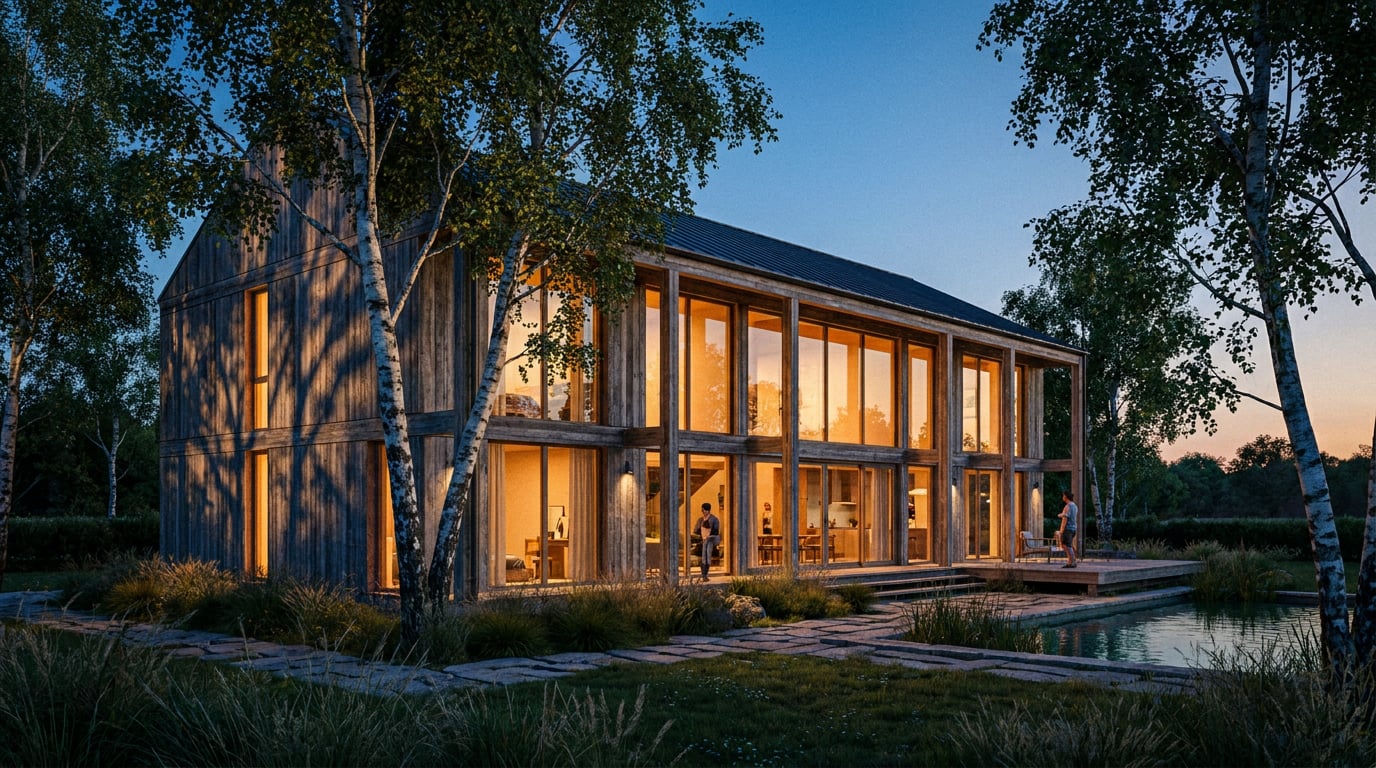
Blown windows or a murky room: interior daylight renders usually fail one way or the other. Here is how to hold both in one frame without faking it.
Why Windows Blow Out and Rooms Go Muddy
 A bright day outside is vastly brighter than the room you are looking at from inside it. That gap, often several stops wide in a real building, is why no single exposure holds both the view and the interior. The eye copes by adapting as it moves across the scene. A still image cannot.
Photographers solve this by bracketing exposures and blending them, or by adding flash to lift the room. A render has no such luxury. It produces one image, so **you have to decide how the balance falls before you commit to it.** The renderer will not decide for you, and its default will rarely be the one you want.
The two failures are familiar to anyone who has sent a render to a client.
- **Expose for the room:** the glazing becomes a flat white void. The window reads as a lit panel on the wall, not as an opening onto a garden. The client asks what the view will be, and you have nothing to show.
- **Expose for the view:** the garden is rich, the sky has colour, and the interior collapses into grey mud. Oak looks like cardboard, the white wall looks dirty, and there is no sense of material anywhere in the room.
Both images are technically defensible. Neither sells the design.
### Decide what the image is selling
Settle this before you touch a light. Different deliverables want different balances.
- **A planning-stage view for a Design and Access Statement** needs a legible room and a believable view. The planning officer and the neighbours are reading space, scale and relationship to the outside. Lean towards an even exposure with the window held readable.
- **A competition board hero** can afford a moodier, window-biased exposure. One image carries the whole story, and drama is permitted. Let the room fall away at the edges, let the window glow, and keep one strong material read in the middle distance.
- **A client presentation** sits between the two. The client wants to imagine living there, so the room should feel bright and the garden or street should feel real.
### Same technique, different targets
Take two rooms. A kitchen-diner with a south-facing garden wall of glazing has light to spare. The challenge is restraint: the room is generously lit, so the risk is the glazing and the floor patch where sun lands both clipping to white. The exposure target sits slightly lower, with highlights actively protected.
A deep-plan Victorian terrace living room with a single sash window has the opposite problem. There is one light source at one end of a long room, and the far wall is dark by nature. The exposure target sits higher, the window is allowed to run a touch bright, and the back of the room needs help from bounce and a modest fill so it does not disappear. The technique is the same in both cases. The numbers are not.
A bright day outside is vastly brighter than the room you are looking at from inside it. That gap, often several stops wide in a real building, is why no single exposure holds both the view and the interior. The eye copes by adapting as it moves across the scene. A still image cannot.
Photographers solve this by bracketing exposures and blending them, or by adding flash to lift the room. A render has no such luxury. It produces one image, so **you have to decide how the balance falls before you commit to it.** The renderer will not decide for you, and its default will rarely be the one you want.
The two failures are familiar to anyone who has sent a render to a client.
- **Expose for the room:** the glazing becomes a flat white void. The window reads as a lit panel on the wall, not as an opening onto a garden. The client asks what the view will be, and you have nothing to show.
- **Expose for the view:** the garden is rich, the sky has colour, and the interior collapses into grey mud. Oak looks like cardboard, the white wall looks dirty, and there is no sense of material anywhere in the room.
Both images are technically defensible. Neither sells the design.
### Decide what the image is selling
Settle this before you touch a light. Different deliverables want different balances.
- **A planning-stage view for a Design and Access Statement** needs a legible room and a believable view. The planning officer and the neighbours are reading space, scale and relationship to the outside. Lean towards an even exposure with the window held readable.
- **A competition board hero** can afford a moodier, window-biased exposure. One image carries the whole story, and drama is permitted. Let the room fall away at the edges, let the window glow, and keep one strong material read in the middle distance.
- **A client presentation** sits between the two. The client wants to imagine living there, so the room should feel bright and the garden or street should feel real.
### Same technique, different targets
Take two rooms. A kitchen-diner with a south-facing garden wall of glazing has light to spare. The challenge is restraint: the room is generously lit, so the risk is the glazing and the floor patch where sun lands both clipping to white. The exposure target sits slightly lower, with highlights actively protected.
A deep-plan Victorian terrace living room with a single sash window has the opposite problem. There is one light source at one end of a long room, and the far wall is dark by nature. The exposure target sits higher, the window is allowed to run a touch bright, and the back of the room needs help from bounce and a modest fill so it does not disappear. The technique is the same in both cases. The numbers are not.
Choose the exposure target from the job the image does, not from what the renderer gives you by default. A planning view and a competition hero should not share a grade.
Choose the Light Before You Choose the Camera
Orientation and sun direction decide almost everything downstream. Settle them first, and the camera, the exposure and the grade follow more easily. A north-lit room gives soft, even light with gentle falloff. It is the easy balance: the window is bright but not violent, and the room holds together without help. A south or west room with direct sun produces hard shafts, deep contrast and a much harder exposure decision. You are no longer balancing a window against a room. You are balancing a window, a sun patch on the floor, and the shadowed remainder. ### Overcast is the forgiving default For client and planning visuals, overcast is usually the right call. The light is wide and soft, it wraps the room, and nothing clips on the floor. You get a believable view through the glass without the sky fighting the interior. Direct sun is a hero-image choice. Use it sparingly, deliberately and in the one image that earns it. ### Time of day sets colour as well as angle Low winter sun reads warm against cool shadow fill, which gives a room depth and a sense of occasion. Midday reads neutral and flat, with short shadows and little modelling on the surfaces. Neither is wrong. They suit different moods and different rooms, and the colour temperature shift is as important to the feel as the angle of the light. ### Treat the sky as a light source and a backdrop The sky is doing two jobs at once. It lights the room, and it sits in the window as an image. A pale, hazy sky balances easily because it is close in tone to the interior, so the window reads without a fight. A saturated blue sky is much brighter and much more contrasty against the room, and it exaggerates the exposure gap you are trying to close. When in doubt, soften the sky. ### Worked example: one loft, three lights Picture a loft apartment with an oak floor and white painted walls, shown three ways.
| Condition | What it does to the oak floor | What it does to the white wall | Exposure decision |
|---|---|---|---|
| Overcast morning | Soft, even tone; grain reads clearly with no hot spots | Clean and slightly cool, with gentle gradient away from the window | Easy. Expose for midtones; window holds a pale readable sky |
| Bright noon | Sun patch bleaches the boards where it lands; the rest looks flat by comparison | Bright near the window, flat and neutral elsewhere | Hard. The patch clips unless you protect highlights deliberately |
| Low evening sun | Long warm raking light picks out every board edge; honey tone | Warm wash with cool shadow side, strong modelling | Dramatic. Best for a hero image; protect the window, let the shadows fall |
Build the Interior Light: Bounce, Fill and Reading the Room
Daylight inside a room is mostly bounced light. Only the area directly under a window or in a sun patch receives the sky or sun directly. Everywhere else is lit by light that has already struck a surface and scattered onward. That makes the surfaces themselves the lighting rig. Pale walls, a pale ceiling and a light floor carry daylight deeper into the plan. A dark floor or a dark feature wall swallows it, and the far end of the room goes black. If your back wall is dropping into murk, check what the light is bouncing off before you reach for a fill. ### Check reflectance before you add fill Pure white walls and black floors are rendering traps. Real surfaces sit in a narrower band than the extremes. A "white" painted wall reflects a good deal of light but nowhere near all of it, and a "black" floor still reflects something. Keep surface values plausible, so the light behaves the way it would in the finished building. Sliding a wall from stark white to a believable off-white, or lifting a near-black floor to a dark but readable tone, often fixes a dead room without a single added light.Before adding any fill, check the albedo of the walls, floor and ceiling. A room that goes black at the back usually has a surface problem, not a lighting problem.

Exposure, Window Detail and the View Outside
Expose for the interior midtones first. That sets the room. Then protect the highlights so the glazing holds a view rather than clipping to flat white. You want a sky and a garden you can actually read, slightly lifted, with detail in the clouds and the planting. Resist the heavy HDR look. Over-processed window recovery is as obvious as a blown window, and arguably more distracting. ### Keep the glass honest Glass that is perfectly clear and invisible makes an opening, not a window. Real glazing has a slight reflectance, a hint of reflection on the pane, and visible frame depth. Include a faint reflection of the room or sky on the glass, a believable frame with proper reveals, and the slight tonal shift that glass introduces. Those cues tell the viewer there is a pane there, which in turn makes the view feel like a view. ### Control what the window frames What sits outside matters more than it seems. A blank white card reads as an unfinished render. An overly detailed vista pulls focus from the interior you are trying to sell. The sweet spot is a neutral, plausible exterior: planting, a neighbouring roofline, a sky with some cloud. It should feel real and then step back. The room is the subject. The view supports it. ### Lens and framing carry as much weight as light A 24 to 28mm equivalent lens at roughly eye height, with verticals held true, keeps window geometry calm and stops the room stretching at the edges. Wider than that and the window distorts, the corners balloon, and the proportions of the space misrepresent the design. Tilt the camera and your verticals lean, which makes the window look like it is falling away. Level the camera, hold the verticals, and let the room be the right shape. ### A shallow curve beats another light When the contrast between room and window still feels wrong, the instinct is to add or move a light. Often the better fix is a shallow tonal curve in the grade. Gently lifting the shadows and easing the highlights compresses the range in a way that looks natural, and it does more than another light in the scene usually can.Hold the lens at 24 to 28mm equivalent, eye height, verticals true. Then reach for a shallow tonal curve before you reach for another light.
Fixing the Last 10 Percent in Retouch
A render that is nine-tenths right should not go back to the engine for the last tenth. Retouch grades a finished render without rebuilding it, and in ArchAdemia Tools it is non-destructive, so every adjustment stays editable. ### Pull back the window, open the dark corner The Adjust panel gives you Light and Colour controls, point curves and dehaze. These are the tools for pulling back a hot window highlight or opening up a dark corner. Dehaze in particular is useful on the glazing, where it can restore contrast and colour to a washed-out sky without touching the room. ### Grade only where it is needed Use an adjustment layer with a painted mask so the grade lands only on the glazing, or only on the far wall, and stays editable afterwards. That matters when a client asks for the window to be a touch brighter next week. Open the layer and move a slider. Nothing is baked in. Masking is quicker if you select by typed description. Describe the area, for example the ceiling, and the selection finds the matching regions. You then refine the edge instead of drawing it from nothing. ### Dodge and Burn is the quiet finisher Dodge and Burn does the subtle work that separates a good daylit interior from a great one. Lift the floor where sun lands, burn the ceiling edge to settle it, and balance the window reveal so the depth of the opening reads. It is a painter's tool, applied with a light hand. Done well, nobody notices it. They simply feel the room is right. ### Enhance area for soft or repetitive regions A wide interior often goes soft or repetitive in the large, detailed regions, such as a bookcase wall or a timber floor in the foreground. Enhance area re-renders a selected region at higher resolution with no prompt and composites it back through the selection. Select the soft area, run it, and the rest of the image is left alone. ### One room, three lights, no re-render Retouch also carries six re-light presets: Golden hour, Dusk, Blue hour, Night, Overcast and Sunny. Each regenerates the whole document at a different time of day or weather as a new layer. That lets a client compare the same room in three lights without you rebuilding the scene, and it keeps your original grade underneath. ### The pre-send checklist Before an image leaves the building, run it through this list.- Windows readable: the glazing shows a view with tonal detail, not a white card.
- Texture carrying: floor and walls show material, not flat tone.
- One dominant light direction: shadows and highlights agree about where the light comes from.
- No clipped whites: check the window, any sun patch and the brightest surface.
- No crushed blacks: check the far corner, under furniture and the back wall.
Decide what the image is selling, then balance window and room to serve it: a legible room and believable view for planning, a bolder window-biased exposure for the hero.
Keep reading.
Try ArchAdemia Tools for yourself
Draw it, model it, render it, publish it. One place, built for architects and small practices. Plans from £19 a month billed yearly (£228 a year), all in.